Topics
The ICP check: box 3b next to your ICP returns
Pieter checks whether every period with turnover in box 3b has a filed ICP return. This is how you start the check and read the result.
-
 Pieter
- Updated
- 2 min read
- Role: Administrator
Before you start
- The administration is connected to Exact Online.
- Your role has the ‘Use Pieter’ permission. An Administrator always has it.
Screenshots show boeq's Dutch interface.
Pieter checks whether every period with turnover in box 3b has a filed ICP return (EC Sales List).
What Pieter checks
- Pieter looks at every closed period of the last 12 months.
- A period is a month, a quarter or a year. Pieter takes the period of the administration's latest ICP return. If there isn't one, he takes the VAT return period from the tax profile.
- For each period he adds up the turnover in box 3b. Then he looks for the ICP return in Exact Online.
- He skips periods without turnover in box 3b.
The check changes nothing in Exact Online. Pieter runs on your credits. You see what a check costs before he starts.
Start the check
-
Click Pieter in the menu.
-
Click ICP check.
-
In the administration's row, click Check.
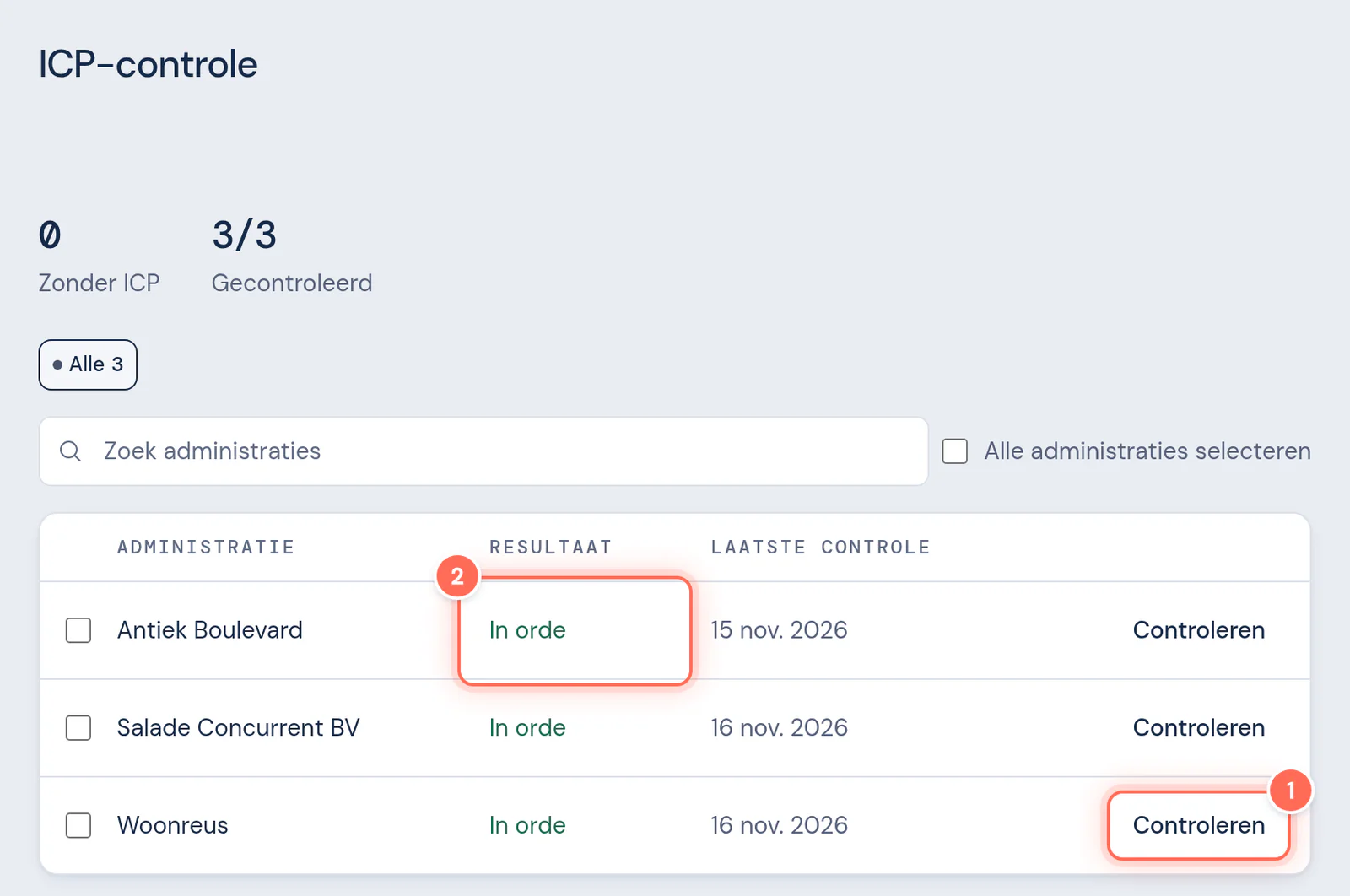
Check (1) starts the check. Result (2) shows the outcome. -
Click Start check in the popup.
Does an administration need a new check? Then the Check [number] administrations button appears at the top. It selects only the administrations that need it: never checked, last check failed or stopped, or a period closed since the check.
Read the result
The Result column shows for each administration:
- In order: every period with turnover in box 3b has a filed ICP return.
- without ICP, for example 2 quarters without ICP: those periods have turnover in box 3b without a filed return. If the deadline has passed, it also says Overdue.
- Period closed since check: check the administration again.
- Check failed: start the check again. A failed check costs nothing.
- Check stopped or Never checked: start the check.
Click the administration for the details of each period.
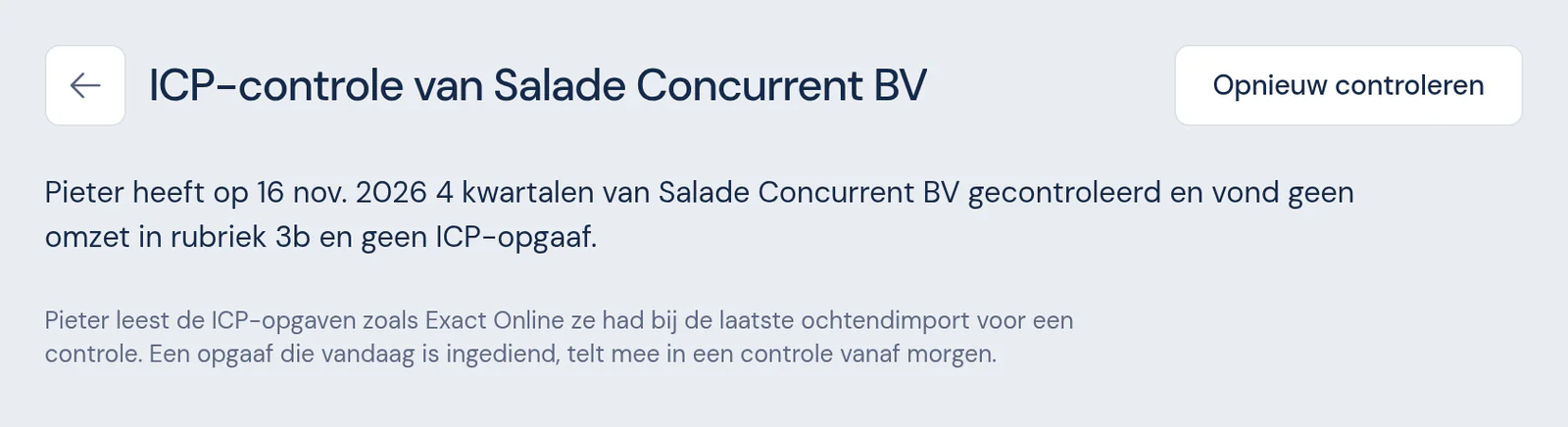
You handle a period without a return as described in Mark an ICP period as handled.
How it works
Pieter reads the ICP returns from the latest morning import from Exact Online. A return you file today counts in a check from tomorrow.
Watch out
See a message that a VAT code has no box link? Then Pieter can't tell whether the turnover on that code belongs in box 3b. Link the VAT code to a box in Exact Online. Then check again.
What Pieter does
For each period, Pieter puts box 3b next to the ICP returns in Exact Online, over the last 12 months. He changes nothing in your administration.
What you decide
You decide what happens to a period without an ICP return.
Further reading
Still stuck? Email [email protected] or call +31 6 57867535.