Topics
The tax profile of an administration
VAT liability, KOR, pro rata and the filing period decide how Leo, Pieter and Sara handle VAT. You can check and change them per administration.
Before you start
- You have the Manage administrations and Manage team settings permissions. The Administrator has them by default.
Screenshots show boeq's Dutch interface.
The tax profile is the VAT details of one administration. boeq doesn't write them to Exact Online. The filing period is the only part boeq reads from Exact Online.
Open and change the profile
-
Go to Settings › Administrations.
-
Click the name of the administration. The Edit administration window opens.
-
Check the fields. Change anything that isn't right.
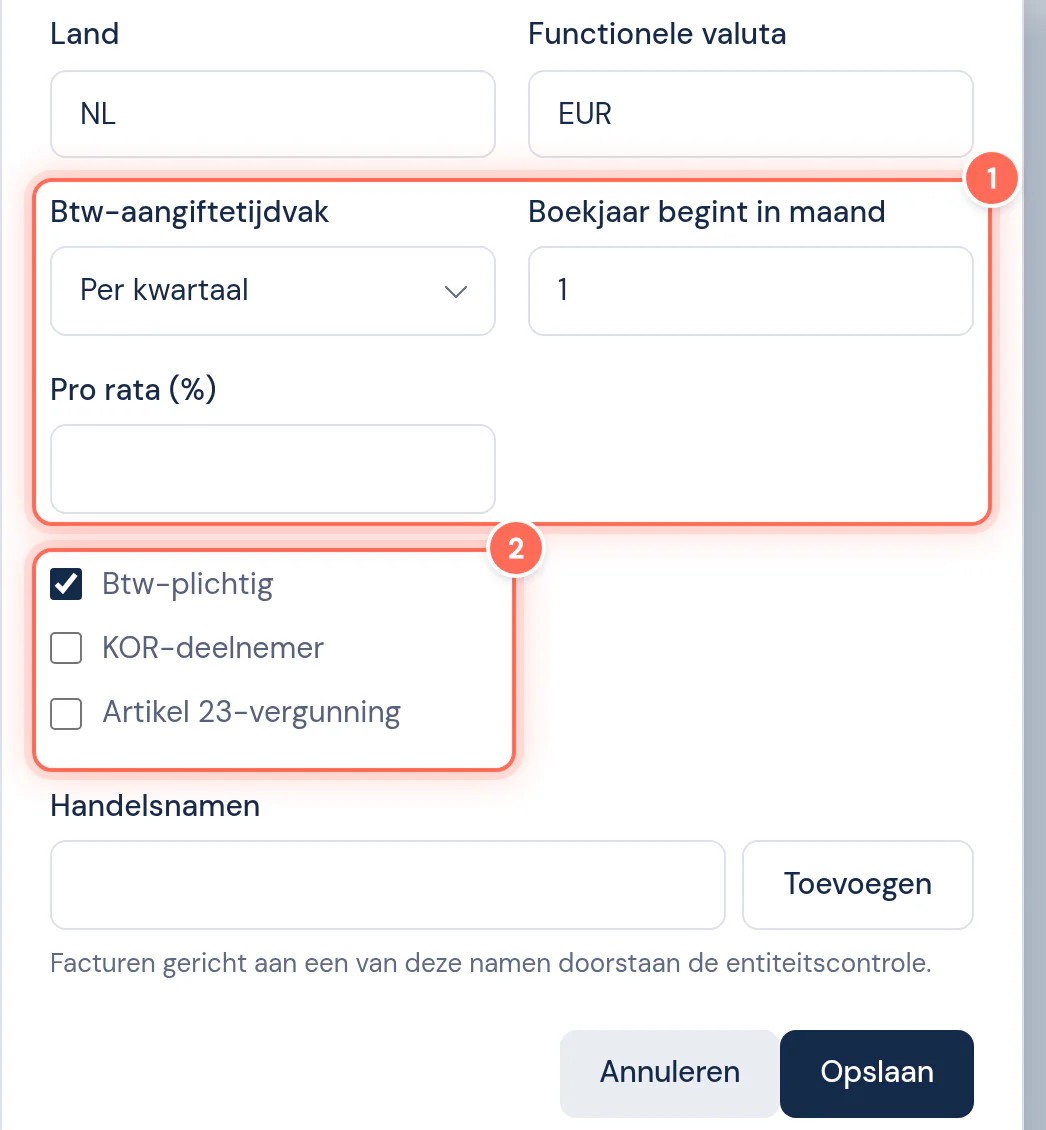
The tax details are at 1 and 2. -
Click Save.
What each field does
| Field | Default | What happens |
|---|---|---|
| VAT liable | On | Off: Leo treats the invoices as outside the scope of VAT. |
| KOR participant | Off | On: the client takes part in the small business scheme (KOR). Leo then doesn't deduct input VAT. |
| Article 23 permit | Off | On: the client reverse-charges VAT on imported goods. Leo takes that into account. |
| Pro rata (%) | Empty | Leo only deducts this share of the VAT. Empty means all of it. |
| VAT filing period | Quarterly | Monthly, Quarterly or Yearly. boeq reads this every day from the VAT returns in Exact Online. Pieter and Sara use it for the VAT periods. |
| Fiscal year starts in month | 1 | The first month of the financial year, as a number. Sara uses it in her calculations. |
| Trade names | Empty | Invoices addressed to one of these names belong to this administration. Type the name and click Add. |
If you change the period here and the returns in Exact Online show something else, boeq changes it back the next day.
boeq copies the Business name, VAT number and Chamber of commerce number once, when the administration is read in. If something changes in Exact Online later, change it here.
boeq copies the Country and Functional currency from Exact Online every hour. If one of them is wrong, change it in Exact Online.
Good to know
Under Accepted addressees are names that someone at your firm approved earlier on an invoice. They are not trade names. If a name there is wrong, remove it and save.
Further reading
Still stuck? Email [email protected] or call +31 6 57867535.