Topics
Month, quarter and year: the types of closing
Sara prepares monthly, quarterly and year-end closings. This is how you see which type a client has, and how you change it.
-
 Sara
- Updated
- 2 min read
Screenshots show boeq's Dutch interface.
A closing always belongs to one administration and one period. There are three types.
| Type | When | Good to know |
|---|---|---|
| Month | After every month | If the month ends a VAT period, more checks ask for your approval. |
| Quarter | After every quarter, around the VAT return | Sara also looks at each month. Under Checks, click Show all … checks. The Months column then shows the outcome for each month. |
| Year | After the financial year | Sara creates the year-end closing herself. You can only lock it once every monthly or quarterly closing of that financial year is closed. |
A VAT period is the period that one VAT return covers, usually a month or a quarter.
Which type a client has
Each administration has one cadence: month, quarter or year. Sara proposes it based on the client's VAT returns. The cadence is fixed as soon as you enrol the client: when you start the first closing, or when you choose a cadence yourself.
When you start a closing yourself in Closings, you choose a month, a quarter or a fiscal year under Period. The header of a closing shows the period, for example August 2026, Q2 2026 or Financial year 2026.
Change the cadence
You need the Manage closings permission for this.
-
Open a closing of the client and click the arrow next to the name of the administration. That takes you to the administration's page.
-
Open the Confirm profile tab.
-
Under Closing cadence, click Month, Quarter or Year.
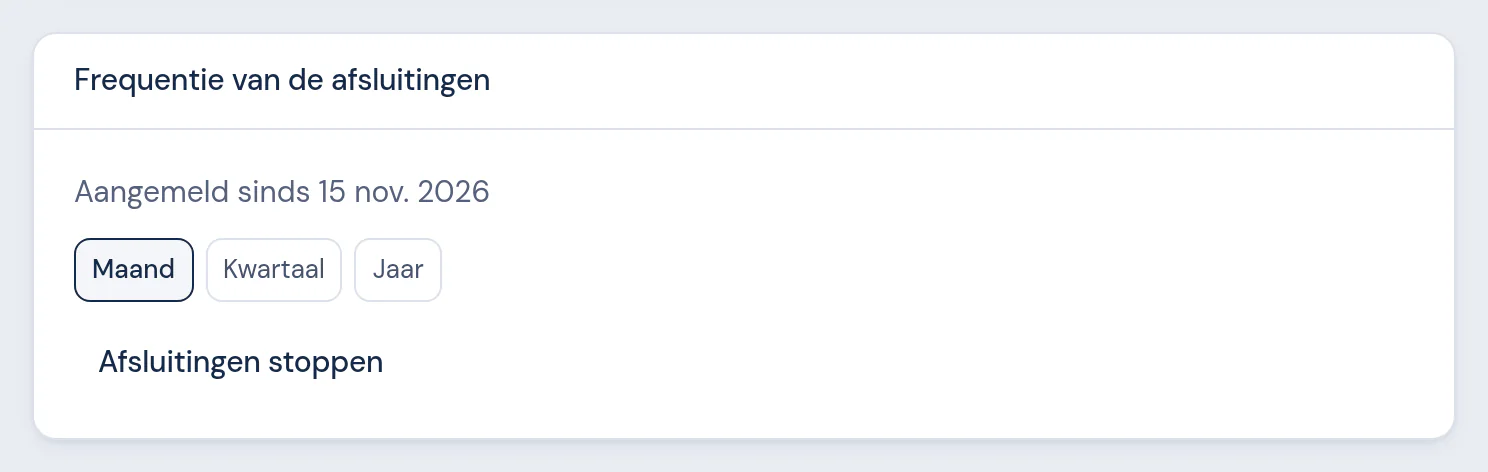
The chosen cadence has a dark border.
The new cadence applies straight away. Sara plans the next closings with this cadence. If the client isn't enrolled yet, this enrols them.
Stop closings for a client
You need the Manage closings permission for this.
- Open the Confirm profile tab of the administration.
- Under Closing cadence, click Stop closings.
- Fill in why you are stopping.
- Click Stop.
Sara then plans no more closings for this client. boeq cancels the closings that are still Planned. Closings that are already running stay as they are.
Good to know
If you start a year-end closing first for a new client, the client still gets the cadence Sara proposes, for example quarterly.
What Sara does
Sara proposes a cadence for each client, based on its VAT returns. After the first closing she plans every next period herself.
What you decide
You decide how often you close a client, and whether Sara stops.
Further reading
Still stuck? Email [email protected] or call +31 6 57867535.