Topics
Have standing data read: statements, agreements and registers
Some checks need a document from outside the ledger. Upload it, let Sara read it and confirm what she read.
- Level: Advanced
-
 Sara
- Updated
- 3 min read
- Role: Member or Administrator
Before you start
- You have the Prepare closings permission. Member and Administrator have it.
- You have the document as a PDF, image or text file, up to 20 MB.
Screenshots show boeq's Dutch interface.
Standing data is information from outside the ledger, such as a bank statement, an agreement or the shareholder register. Sara reads the document. You confirm what Sara read.
Have a document read
-
Open a closing of the client and click the arrow next to the name of the administration. That takes you to the administration's page.
-
Open the Fixed data tab.
-
Under What does it contain?, choose the kind of document.
-
Drag the file onto Document, or click the box to choose it.
-
Click Let Sara read it.
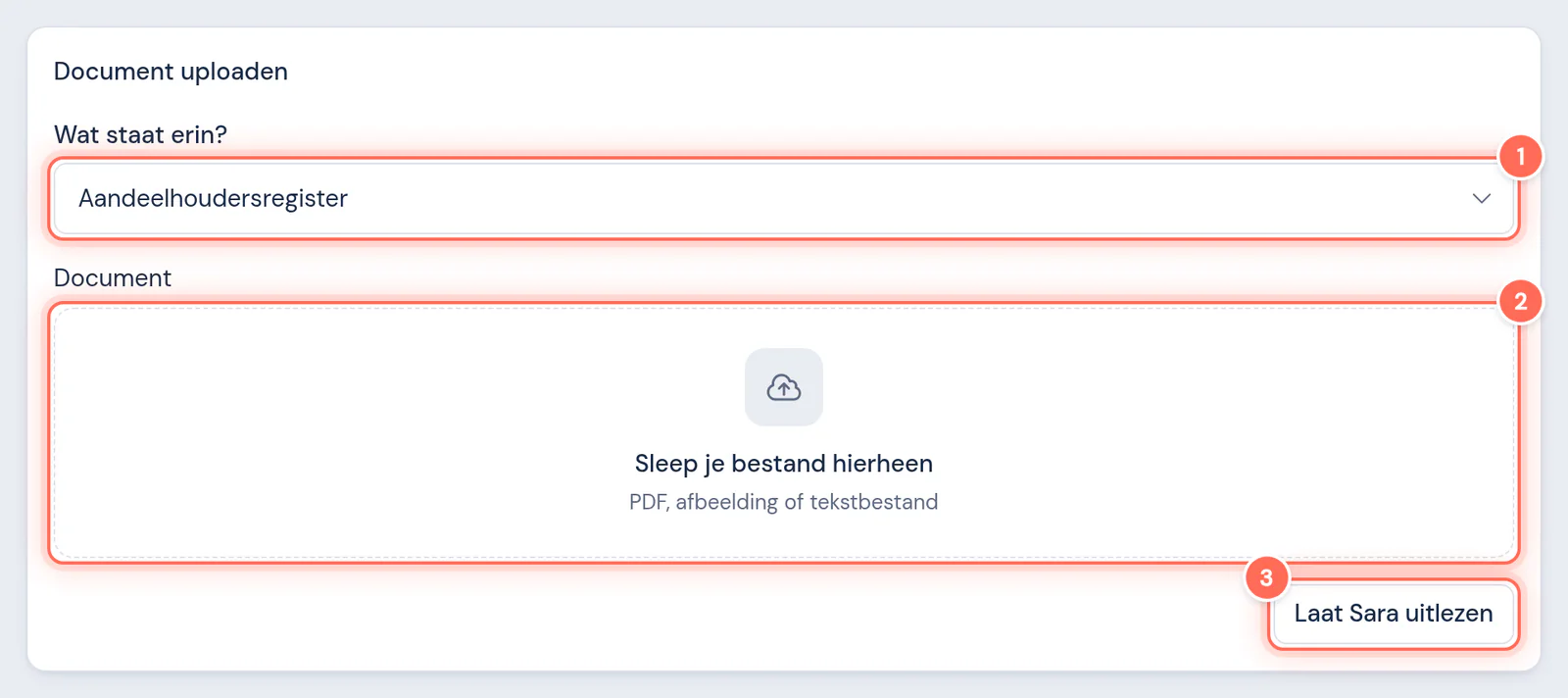
Choose the kind (1), add the file (2) and click Let Sara read it (3).
Sara reads the document. This usually takes a few minutes. Then reload the page. Her reading is now under To confirm.
Confirm the reading
- Find the reading under To confirm. The document is on the left, Sara's reading on the right.
- For each field, compare the Value with the text under From the document. The Field column shows the name of the data item.
- If everything is right, click Confirm.
The data is now under Confirmed data, with the kind, the validity and who confirmed it. Sara uses it in every closing within that validity, from the next preparation. Is a closing already being reviewed? Open that closing and click More › Refresh data at the top right. Otherwise Sara picks up the data the following night.
Watch out
You cannot change a value or fill one in yourself here. If a value is wrong, or Sara could not read the document, do not confirm the reading. Upload a document that is easier to read.
If you see Not taken over: the text does not show this value, Sara did not find that value in the document and left it empty.
Which document goes with which check
| Kind | Sara uses it for |
|---|---|
| Bank statement balance | Bank balances reconciled and Bank and cash accounts complete |
| Bank feed consent | Bank data runs to period end |
| Filed VAT return | Filed figure recorded and Annual VAT reconciliation |
| OSS return | Distance sales and OSS |
| Payroll journal | Payroll journal equals ledger |
| Payroll tax return | Wage tax paid |
| Shareholder register | Share capital equals register and Capital paid up |
| Agreement | Management fee, director's current account, loans and lease |
| Tax account statement | Tax payables |
| Stock list | Stock equals stock list |
| Import licence | Import VAT |
| Vehicle register | Company car |
In your firm practice you record whether the client supplies a document or your firm keeps it itself. If your firm keeps it, you upload it here.
What Sara does
Sara reads the values from the document and shows, for each value, the piece of text it comes from.
What you decide
You compare the reading with the document and confirm it. Only then does Sara work with the data.
Further reading
Still stuck? Email [email protected] or call +31 6 57867535.