Topics
Set tolerances
Decide from which difference Sara reports something. This is how you set a tolerance, and how you put it back to the default.
- Level: Advanced
-
 Sara
- Updated
- 2 min read
- Role: Administrator
Before you start
- You have the Administrator role, or a role with the Manage closings permission.
Screenshots show boeq's Dutch interface.
A tolerance is a limit. If a difference stays within the limit, Sara does not report a deviation. Your firm has 29 tolerances. Each tolerance has a default value, a lower limit and an upper limit. What each tolerance controls is in Reference: all tolerances.
Change a tolerance
-
Open Closings in the menu.
-
At the top right, click Settings.
-
Go to the Tolerances block.
-
Type a whole number in the field. The default and the limits are shown below the field.
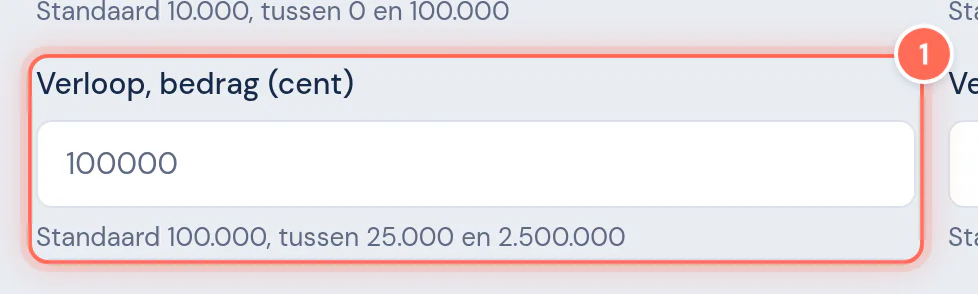
Below each field are the default and the limits, here for Flux, amount (cents). -
At the bottom of the policy settings, click Save office policy.
To go back to the default, empty the field and save.
If a value falls outside the limits, the app saves nothing, not even your other changes. A message appears below the field. Change the value and save again.
Sometimes Sara proposes a different value under Learned from your decisions. Read Firm practice: what Sara asks the client.
Watch out
A field with (cents) in its name is an amount in cents. For €250, type 25000.
Write off residues
Sara only proposes writing off a residue if your firm has a write-off account. The account must exist in the general ledger of the administration. You can have up to €25 written off.
-
Set Open item residue written off up to (cents) higher than 0.
-
Under Writing off residues, type the code of the general ledger account in the Write-off account field.
-
Click Save office policy.
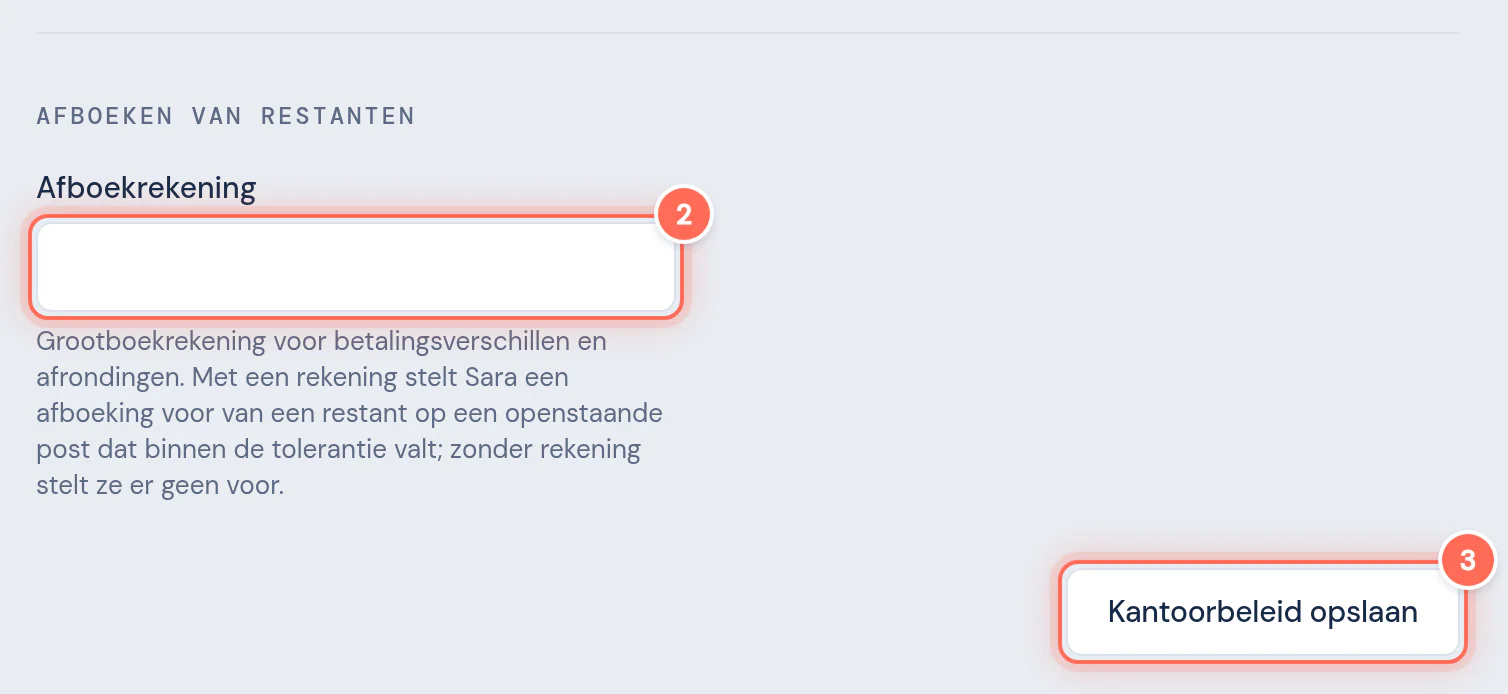
Without a write-off account, Sara proposes no write-off.
If a residue falls within the tolerance, Sara prepares a correcting entry. You approve it. Read Approve and post correcting entries.
What Sara does
Sara tests every difference against your firm's tolerances. She never changes a tolerance herself.
What you decide
You set the limits, within what the product allows. For some of the tolerances you can set a different limit per client, with a reason.
Further reading
Still stuck? Email [email protected] or call +31 6 57867535.