Topics
Different settings per client
Does one client work differently from the rest? Give that client its own tolerance, with a reason. Sara uses it from the next preparation.
- Level: Advanced
-
 Sara
- Updated
- 3 min read
- Role: Administrator
Before you start
- You have the Administrator role, or a role with the Manage closings permission.
- Your firm's tolerances are set.
Screenshots show boeq's Dutch interface.
A tolerance is a limit that decides when Sara reports something. Your firm sets it once for all clients. For one client, you can depart from it.
Add a client setting
-
Open a closing of the client and click the arrow next to the name of the administration. That takes you to the administration's page.
-
Open the Confirm profile tab.
-
Go to the Client settings card.
-
Under Tolerance, choose what you want to change. The limits are shown after each tolerance.
-
Under Value, enter a whole number.
-
Under Reason, enter why this client is different.
-
Click Set.
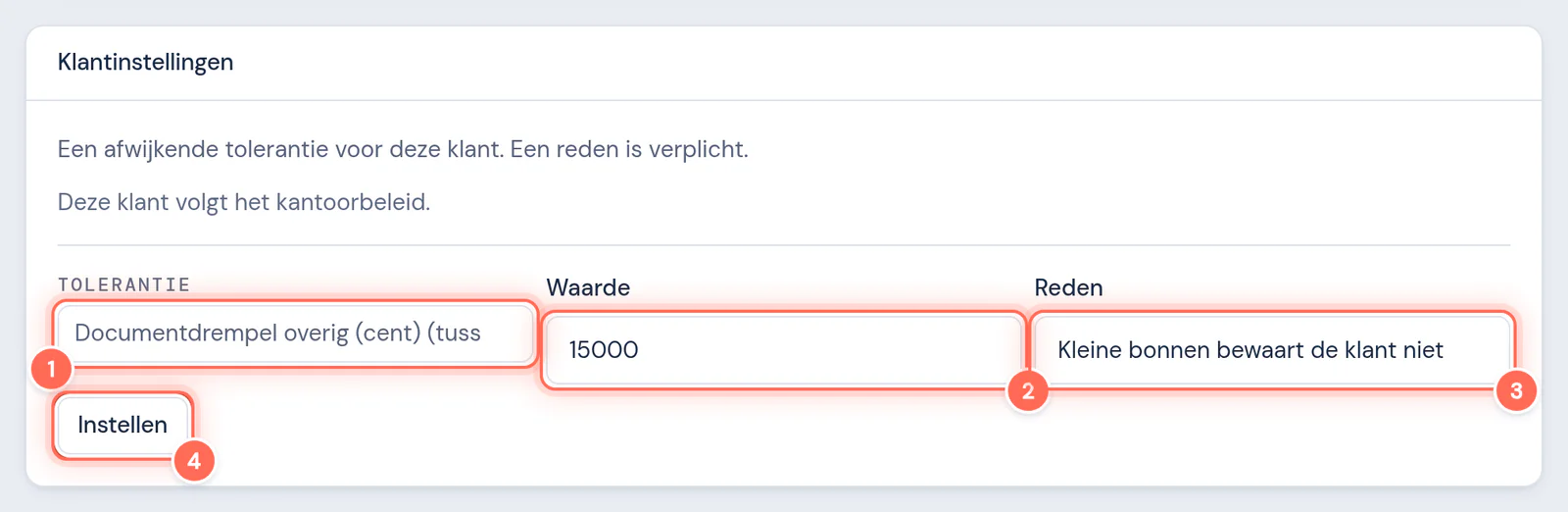
Choose the tolerance (1), enter the value (2) and the reason (3), and click Set (4).
The setting now appears on the card, with your name, the date and the reason. Sara uses the value from the next time she prepares a closing for this client.
Watch out
You enter amounts in cents. So for 150 euros, enter 15000. boeq refuses a value outside the limits.
To change the value later, set the same tolerance again. The new value replaces the old one.
Remove a client setting
- Next to the setting, click Remove.
- Under Why do you remove this client setting?, enter the reason.
- Click Remove.
The client then follows your firm policy again.
Which tolerances you can change per client
You can change 14 tolerances per client. The others always apply to the whole firm.
| Tolerance | Where Sara uses it |
|---|---|
| Flux, amount (cents) and Flux, percent | From which monthly change a profit and loss account gives a signal |
| Fluctuation is a deviation from (cents) | From which amount such a change is a deviation |
| Balance on the wrong side from (cents) | From which amount a balance on the wrong side is a deviation |
| Recurring items band, percent | How much a fixed monthly item, the management fee or a payroll component may fluctuate |
| Recurring items minimum (cents) | Sara does not follow smaller fixed items |
| Document threshold deductible VAT (cents) | From which amount a line with deductible VAT needs a document |
| Document threshold other (cents) | From which amount another cost line needs a document |
| Bank feed lag (business days) | How many business days the bank data may lag behind |
| Exchange difference (cents) | Which exchange difference Sara accepts |
| Gross margin band (percentage points) | How much the gross margin may differ per month |
| Capitalisation threshold (cents) | From which amount a purchase can be a fixed asset |
| Analytical difference, amount (cents) and Analytical difference, percent | Have no effect on the checks at the moment |
How it works
Sara picks the value in this order: first the client setting, then your firm policy, then the boeq default.
What Sara does
Sara uses the client setting in every following preparation of a closing for this client. She never changes the setting herself.
What you decide
You decide which client is different, by how much and why. You can always see who made the setting and for what reason.
Further reading
Still stuck? Email [email protected] or call +31 6 57867535.