Topics
Let Sara send low-risk questions herself
May Sara send requests for missing documents to the client herself? Then switch on this authorisation. All other questions wait for you.
- Level: Advanced
-
 Sara
- Updated
- 2 min read
- Role: Administrator
Before you start
- You have the Manage closings permission. The Administrator has it.
- The client has a client portal. Without a portal, Sara sends nothing herself.
Screenshots show boeq's Dutch interface.
An authorisation is something a colleague may do without your approval. Sara has one: sending low-risk questions to the client herself. It is off by default. Only someone with the Manage closings permission can switch it on. By default that is the Administrator. While it is off, Sara prepares every client question and you send it. You send questions under the Client questions step with Send … questions, and the document list under Prepare with Ask the client for … documents.
What Sara then sends herself
With the authorisation, Sara only sends a question asking for:
- a missing document, such as an invoice or receipt;
- a missing bank statement;
- the renewal of a bank connection.
Sara puts such a question in the client portal after she has prepared a closing. She only sends a document list if every line on it is such a question.
Sara never sends these questions herself:
- a question marked Sara's proposal: Sara wrote that text herself;
- a question marked Advice: do not ask;
- a question she has no clear advice on;
- any other kind of question.
Switch on the authorisation
-
In the menu, under Sara, click Dossier.
-
Go to Authorisations.
-
Switch on Send low-risk questions to the client herself.
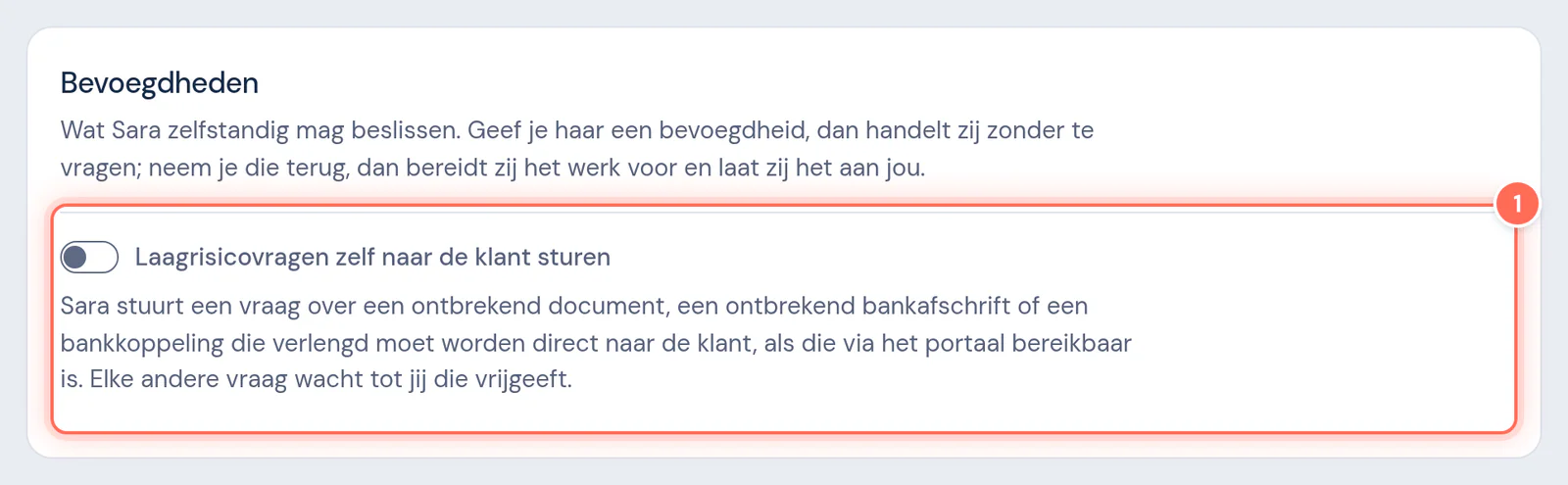
The authorisation (1) is off by default. -
Click OK at the question
From now on Sara sends low-risk questions to clients herself, for the whole office. Continue?
Below the authorisation you now see who switched it on and when. The authorisation applies to all clients of your firm. Sara uses it from the next preparation.
Switch off the authorisation
Switch it off again. You do not need to confirm this. Sara then prepares every question for you again.
How it works
Your client never sees the name Sara. Every question in the client portal comes from your firm.
What Sara does
With this authorisation, Sara puts three kinds of questions in the client portal herself. There she speaks on behalf of your firm.
What you decide
You switch the authorisation on or off, for the whole firm. You release every other question yourself.
Further reading
Still stuck? Email [email protected] or call +31 6 57867535.