Topics
View master data: relations, general ledger and VAT groups
boeq reads your master data from Exact Online. Find the relations, ledger accounts, VAT groups and historical bookings of each administration here.
Before you start
- Exact Online is connected and the administration has been read in.
- Your role has the View relations and View ledger data permissions.
Screenshots show boeq's Dutch interface.
Master data is the data boeq reads in from Exact Online. Leo uses it to prepare a booking. You view it here and change it in Exact Online.
Open the master data
-
Choose the administration at the top.
-
In the menu, under Practice, click Master data.
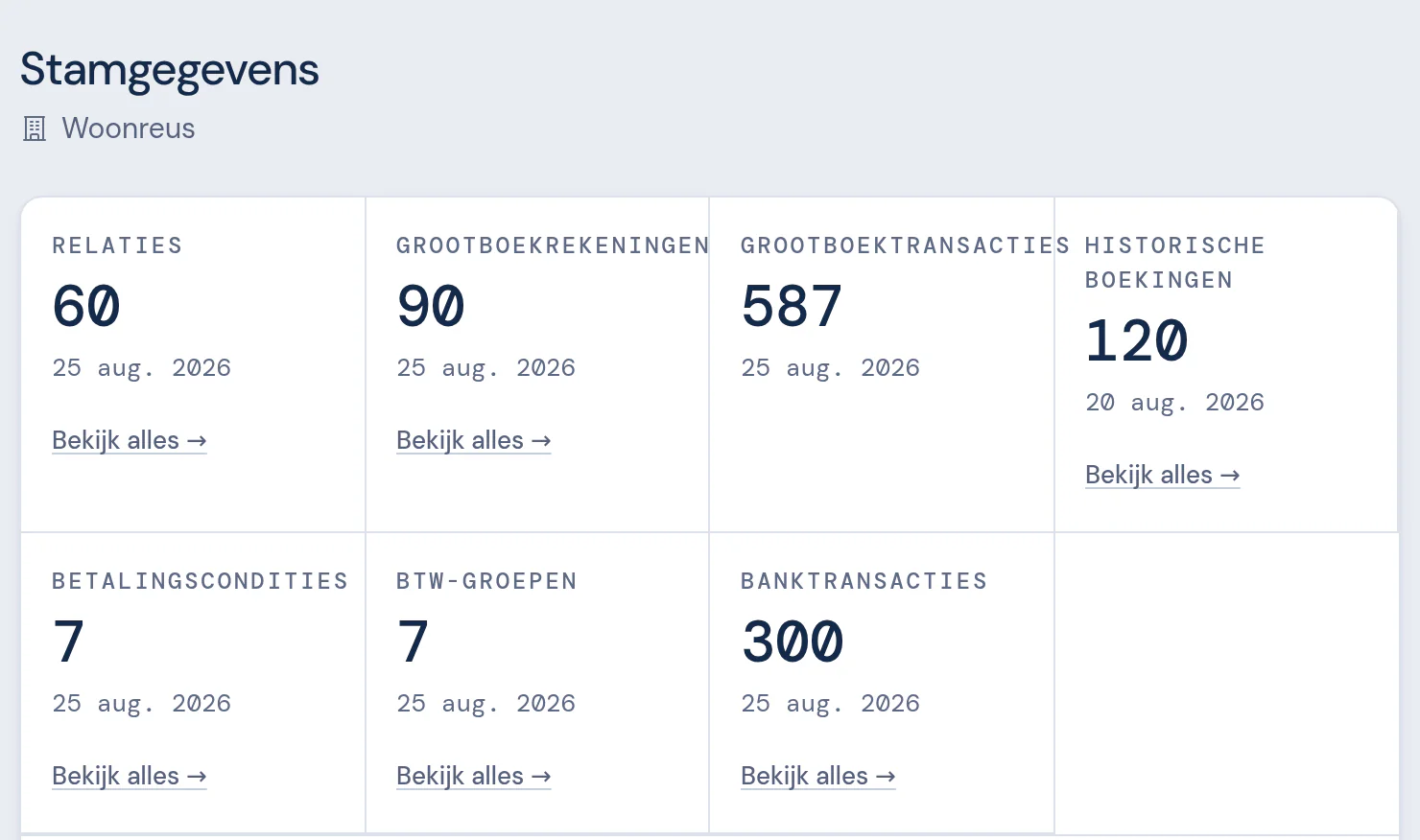
Each tile shows a number and the date boeq last fetched this from Exact Online. -
Click View all on a tile. Or choose a section in the menu.
Seeing Select an administration first? Master data belongs to one administration, so choose one first.
The sections
| Section | What you see |
|---|---|
| Overview | A tile per section with the number of items and the date of the last synchronisation. |
| Relations | The suppliers and customers from Exact Online. |
| GL accounts | Your chart of accounts. Click an account to see the bookings on it. |
| GL account transactions | The transactions on the accounts. |
| Payment conditions | The payment terms and discounts Leo knows. He uses them for the due date. |
| VAT groups | The VAT groups Leo uses to choose the VAT rate. |
| Historical bookings | Earlier bookings Leo uses as examples. |
| RGS mapping | The accounts without a valid RGS code. Read RGS version, legal form and general ledger. |
If a list stays empty, it hasn't been read in yet. The master data comes in by itself.
If something isn't right
You change master data in Exact Online. boeq picks up the change at the next synchronisation. Is a general ledger account missing? Read Create a general ledger account from a booking.
How it works
Does it say 'Exact Online rate limit reached. Leo has paused synchronization and will resume automatically.'? Exact Online limits how often boeq may fetch data. You don't need to do anything. Read Error: Exact is unavailable or the limit has been reached.
Further reading
Still stuck? Email [email protected] or call +31 6 57867535.