Topics
Mark an ICP period as handled
Did Pieter find turnover in box 3b without an ICP return? File the return after all, or mark the period as handled with a reason.
-
 Pieter
- Updated
- 2 min read
- Role: Administrator
Before you start
- Pieter has done the ICP check of the administration.
- Your role has the ‘Use Pieter’ permission. An Administrator always has it.
Screenshots show boeq's Dutch interface.
A period without an ICP return (EC Sales List) is listed on the administration's page under Without ICP. For each period, Pieter asks a question under Pieter asks:
[period] has [amount] in box 3b, but Exact Online has no ICP return for it. Will you file one, or tell Pieter why none is needed?
Is there already a draft in Exact Online? Then Pieter asks whether you will still file that return.
Below the question you see the status of the VAT return and the Due date. If that date has passed, it says Overdue. Below that you can expand the largest lines in box 3b. That shows you which entries are in it.
File the return after all
-
Click Pieter in the menu.
-
Click ICP check.
-
Click the administration.
-
Does the period have an Open in Exact Online button? Click it. Otherwise, open the return in Exact Online yourself.
-
File the ICP return in Exact Online.
-
The next day, click Check again. You first see what the check costs again.
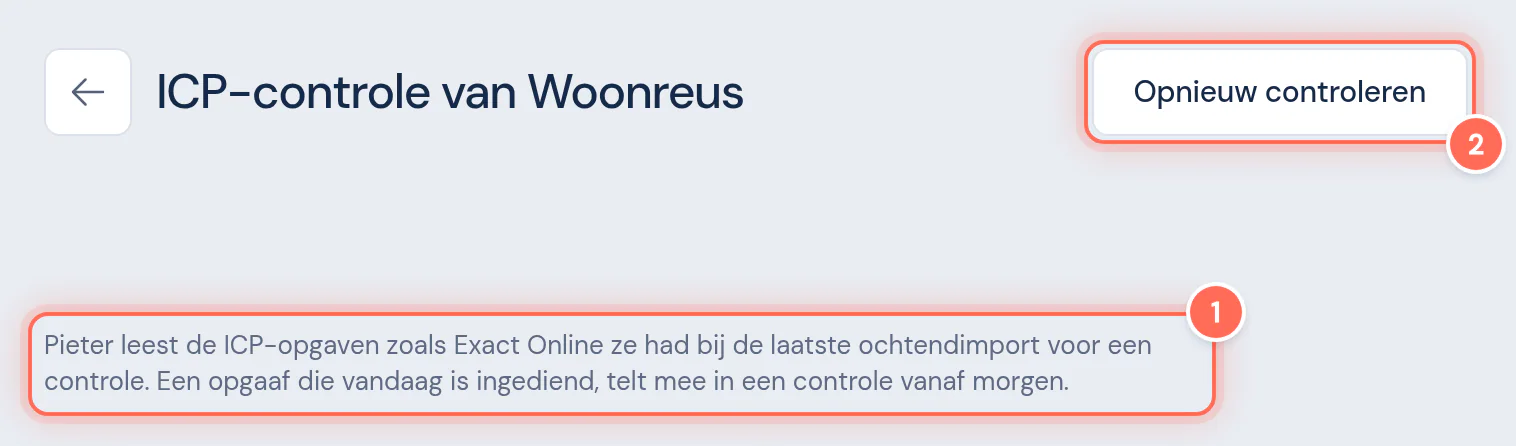
A return filed today only counts from tomorrow (1). Then you click Check again (2).
Mark the period as handled
Do this when no return is needed, or when you have arranged it another way.
- At the period, click Mark as handled…
- Choose a reason: Filed outside Exact Online, The turnover in box 3b is booked wrongly or No ICP return is required.
- Click Mark as handled.
The period then appears under Handled, with the reason, your name and the date. Are there two or more periods under Without ICP? Then you mark them in one go with Mark all [number] as handled…. They all get the same reason.
Was the turnover booked wrongly? Then also correct the entry in Exact Online.
How it works
A mark stays in place until box 3b of that period changes. Pieter then counts the period again in the next check. You then see the amount at which you handled the period before.
Put a period back
Under Handled, click Put back at the period. The period is then listed under Without ICP again.
What Pieter does
For each period, Pieter shows how much turnover is in box 3b and whether there is a return. He doesn't file anything himself.
What you decide
You choose: file the return in Exact Online, or handle the period with a reason.
Further reading
Still stuck? Email [email protected] or call +31 6 57867535.