Topics
Create a custom role
None of the standard roles right for a colleague? Create a custom role and tick exactly what that role can do.
On this page
Before you start
- You have the Manage roles permission. An Administrator always has it.
Screenshots show boeq's Dutch interface.
Create a role
-
Go to Settings › Roles.
-
Click New role.
-
Enter a Name, for example Team leader.
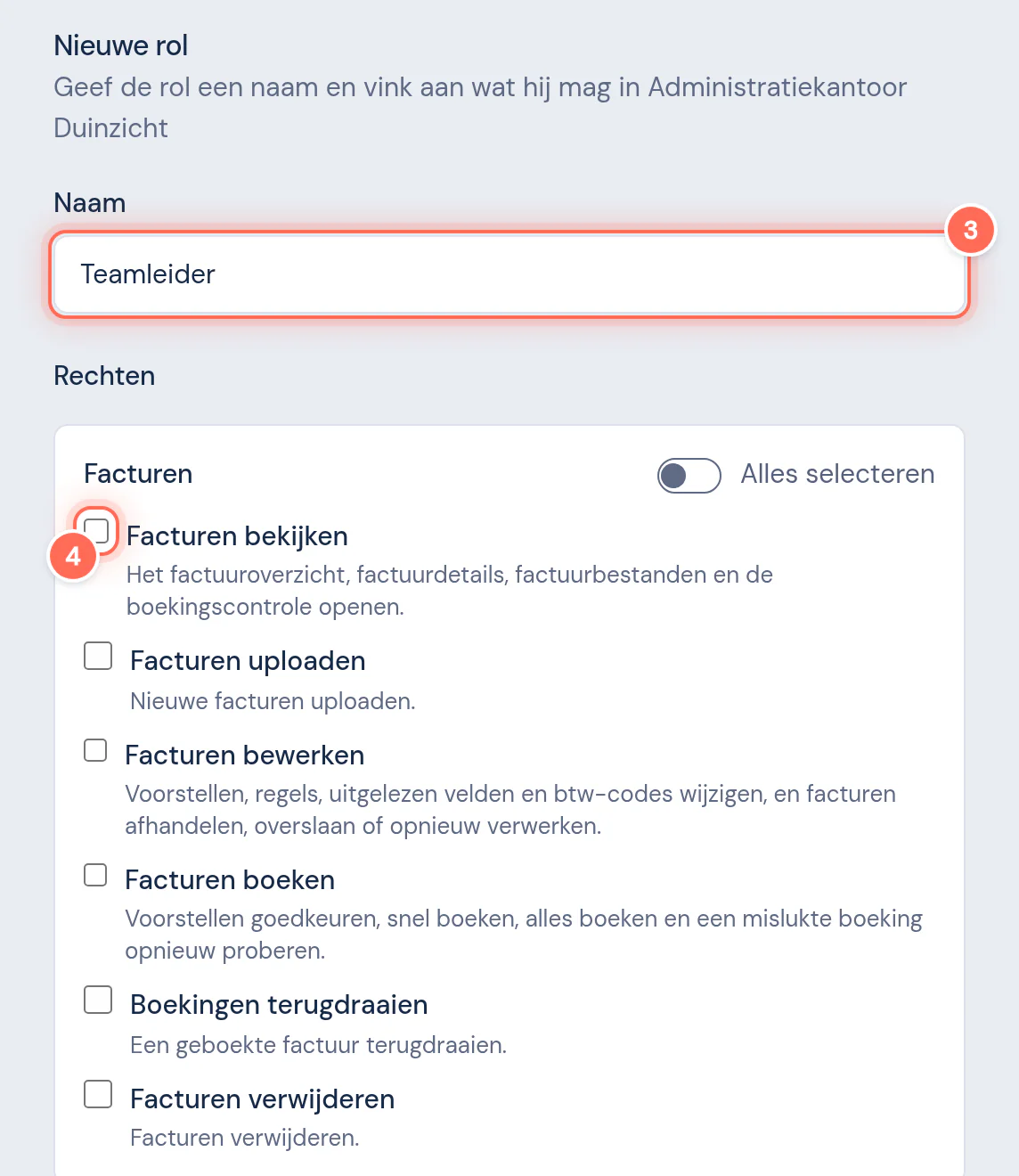
Below each permission, one sentence says what it allows. The numbers belong to steps 3 and 4. -
Under Permissions, tick what the role can do.
-
Click Save at the bottom.
The permissions are in groups: Invoices, Bank transactions, Questions, Leo, Pieter, Closing, Bookkeeping data, Customer portal, Invoice sources, Integrations and Team. The Select all switch turns on a whole group at once.
How it works
You can only give permissions you have yourself. For a permission you don't have, boeq says so next to it.
Example: a team leader
A team leader does everything a Member does. So first tick these permissions:
- View invoices, Upload invoices, Edit invoices, Book invoices and Delete invoices
- View bank transactions, Import bank statements, Book bank transactions and Revert bank bookings
- Answer questions and Chat with Leo
- View closings and Prepare closings
- View relations, View ledger data and View tasks
Then add these permissions:
| Permission | What the team leader can then do |
|---|---|
| Manage working agreements | Manage working agreements and Leo's record. |
| Use Pieter | Start Pieter's jobs and approve his proposals. |
| Review closings | Give a verdict per check and approve a closing. |
| Lock closings | Lock the period of an approved closing in boeq. Without this permission, the team leader can approve but not close. |
Give the role to a colleague
You choose the role when you invite a colleague. Read Invite colleagues. Does a colleague already have an account? Then give them the role with Edit access. Read Roles and permissions.
Change or delete a role
In Settings › Roles, click the pencil next to a role to change it. To delete it, click the bin and then Delete role in the window. This also works for Member and Read-only. If you change one of those two, it changes for everyone with that role.
Does the role still have members? Then give those members a different role first. After that, you can delete the role.
Further reading
Still stuck? Email [email protected] or call +31 6 57867535.