Topics
Step 6 of 9
The dashboard: The floor, Questions and Administrations
The dashboard is where you start your day. Here you read what Leo did, which questions are waiting for you and how each administration is doing.
Screenshots show boeq's Dutch interface.
The dashboard is the first screen you see. Open Dashboard in the menu. It has three tabs: The floor, Questions and Administrations.
The floor
The top of the screen shows what Leo is doing now. Does it say 'Leo has been working since' with a time? Then he's busy. Does it say Leo is ready? Then he's waiting for work.
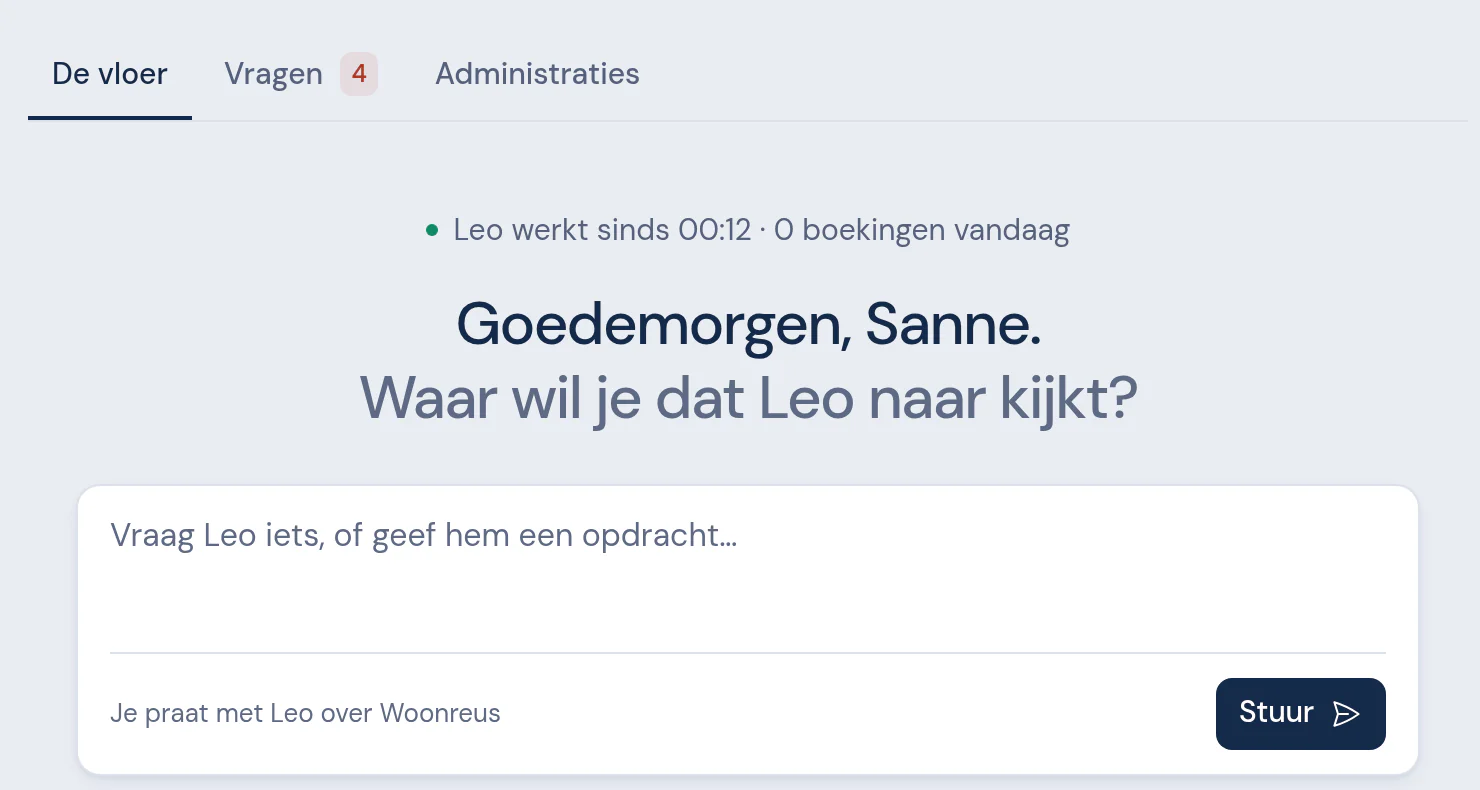
Type what you want to know in the 'Ask Leo something, or give him an instruction…' field and click Send. Below the field are some example questions. Read Chat with Leo for what Leo does and doesn't do in the chat.
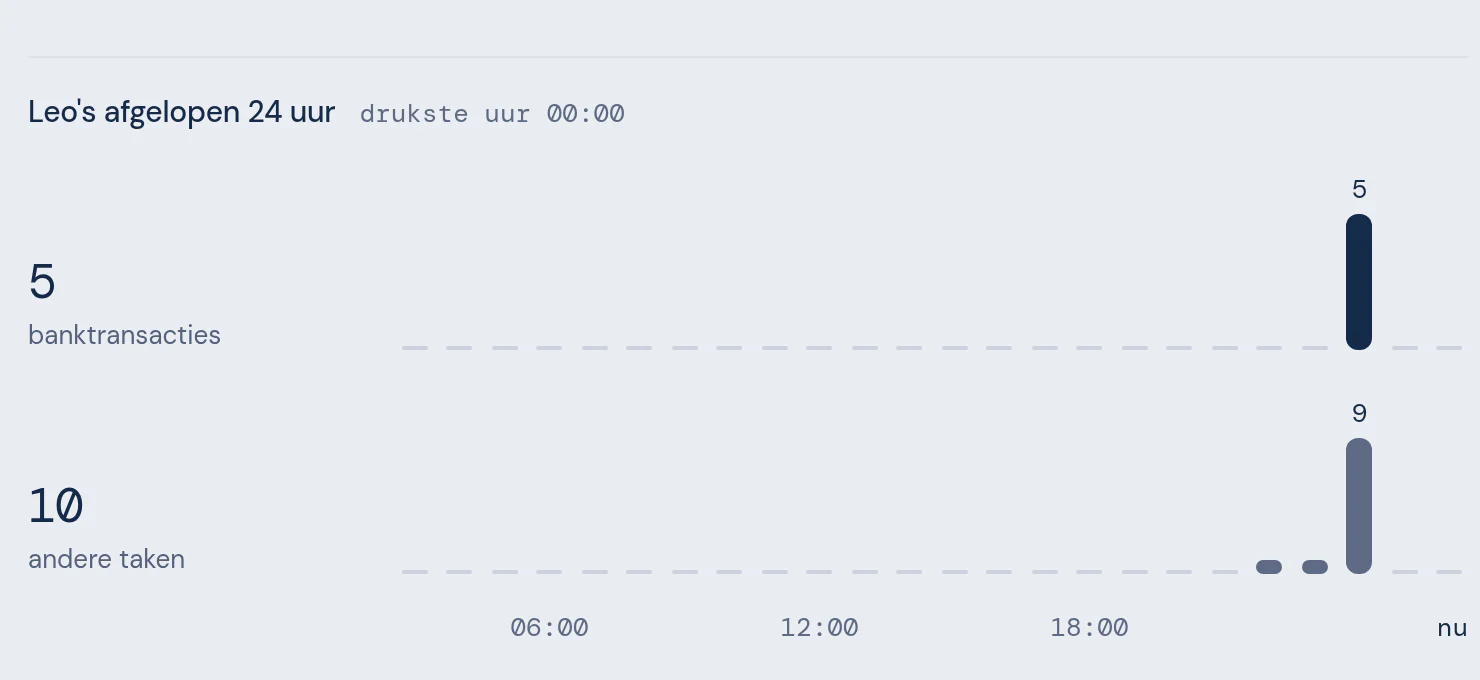
Under Leo's last 24 hours you see, hour by hour, what Leo picked up: invoices, bank transactions, questions and other tasks. Point at a bar to see the number. Use the arrow keys to move from hour to hour.
Questions
This tab holds Leo's questions that are waiting for you.
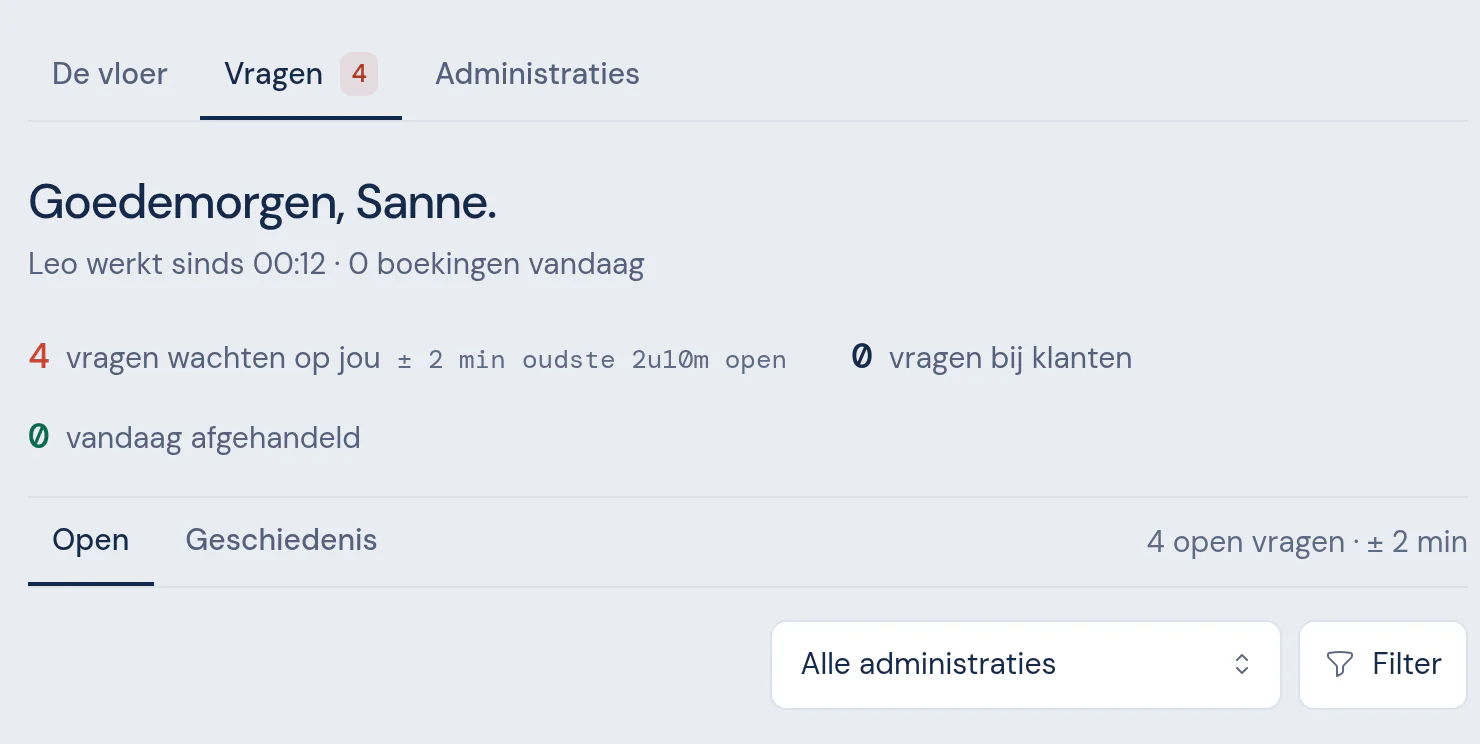
- questions waiting for you counts your firm's open questions. Questions your client handed back with I don't know and Leo's proposals to settle an open invoice don't count. Those are in Client replies.
- resolved today counts the questions you answered or dismissed today.
- Under Open are the questions themselves. To filter, choose an administration under All administrations. Under History are the questions that have been dealt with.
To answer a question, read Answer questions and pass them on to your client.
Administrations
Here you see all your firm's active administrations in one table.
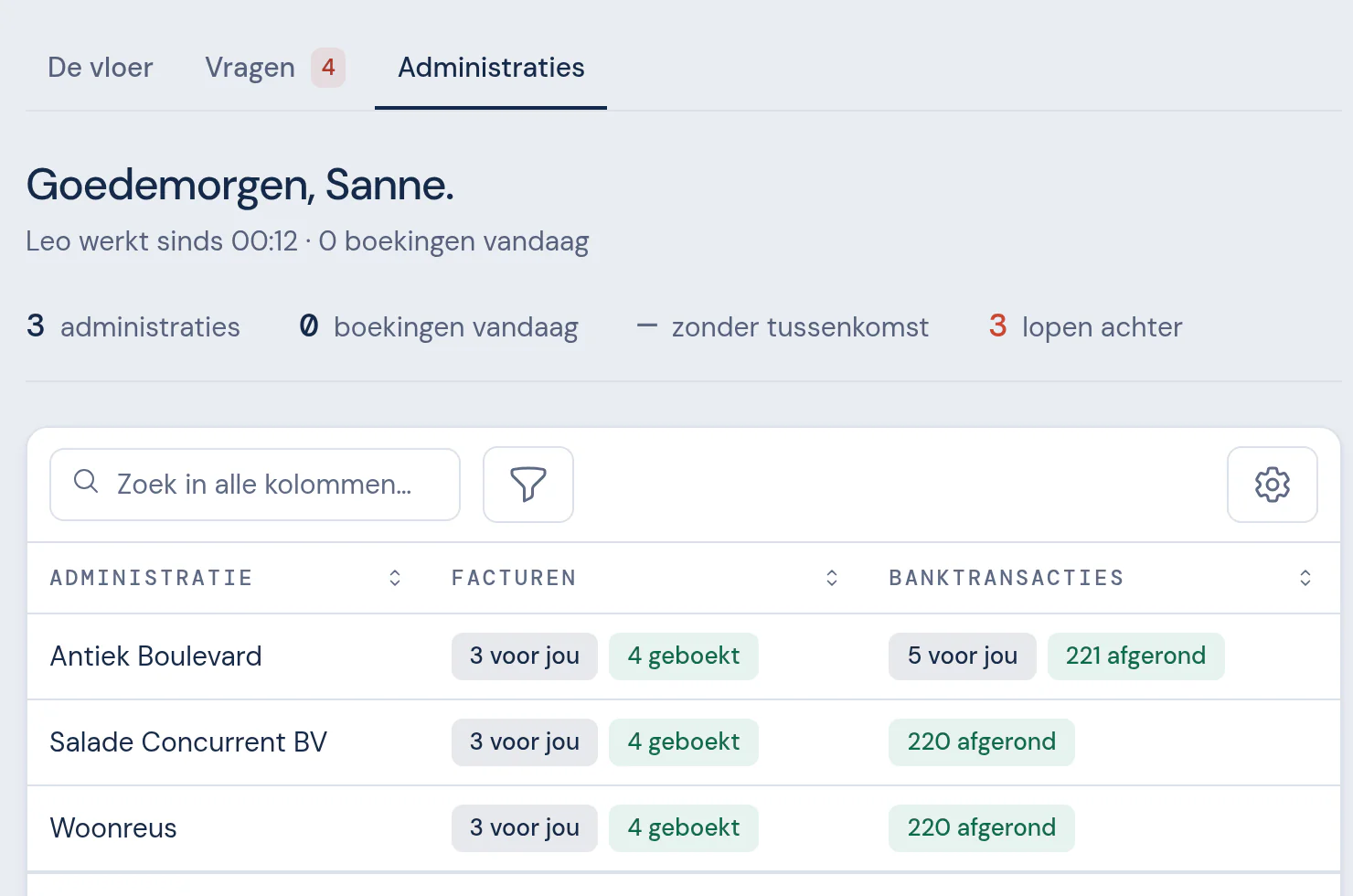
- For each administration, Invoices and Bank transactions show three kinds of number: for you is work waiting for you, booked and completed are work that's done. Click a number to open that view.
- Click an administration's name to go to its invoices.
- At the top you see the number of administrations and the number of bookings today. Next to falling behind is the number of administrations with invoices that haven't moved on for a while.
- Search the table with Search all columns....
Good to know
Start your day on Questions. Leo carries on with an invoice or bank transaction as soon as you answer his question.
Further reading
Still stuck? Email [email protected] or call +31 6 57867535.