Topics
Chat with Leo about your administrations
Ask Leo a question about one administration or your whole firm. He looks it up and shows where every figure comes from.
-
 Leo
- Updated
- 2 min read
Screenshots show boeq's Dutch interface.
Open Chat in the menu, under Leo.
Ask a question
-
Choose the administration at the top right. Is your question about the whole firm? Choose All administrations.
-
Type your question in the Ask your question… field. Or click a question under To ask today.
-
Press Enter. For a new line, press Shift + Enter.
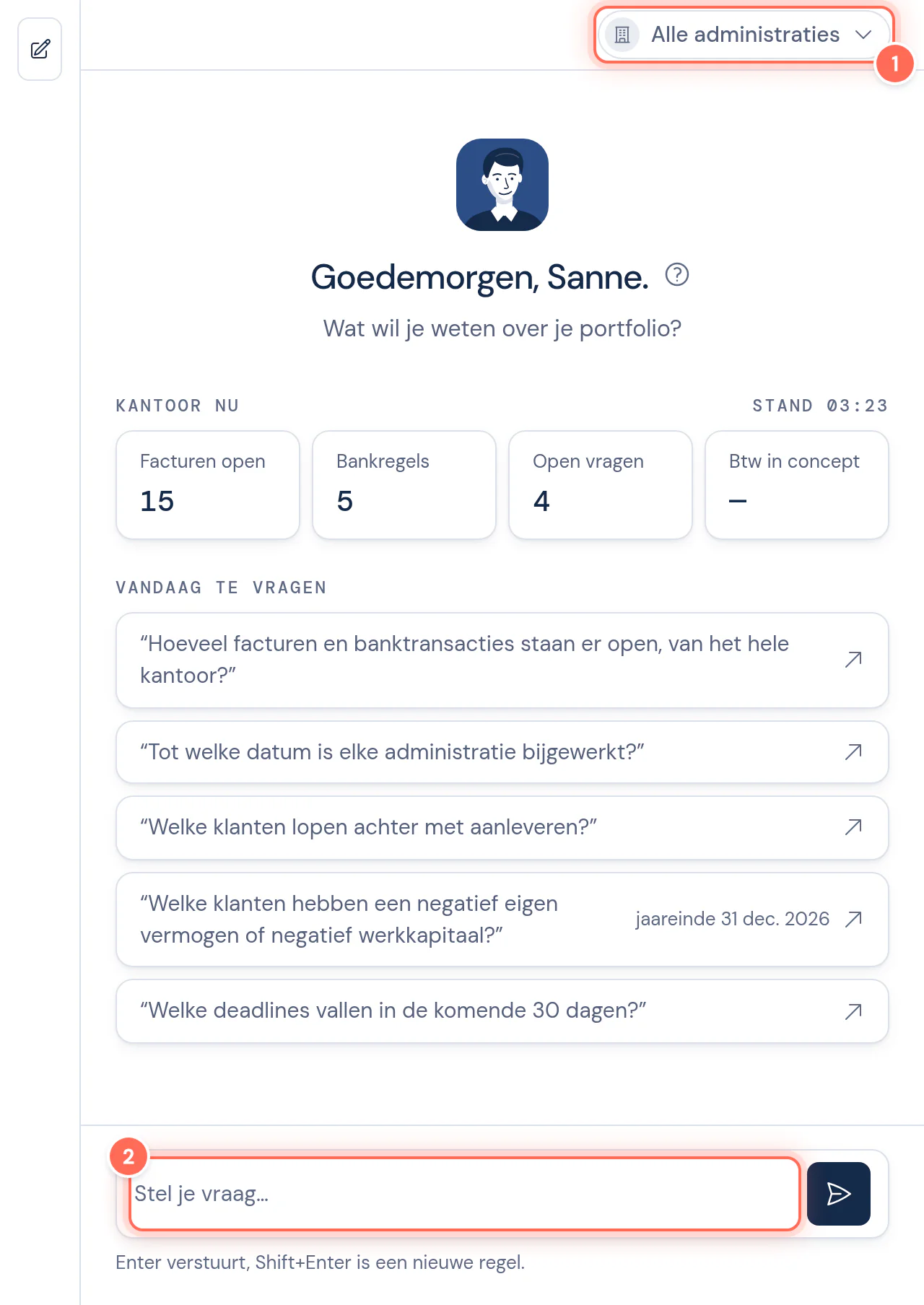
Choose the administration (1) and type your question (2).
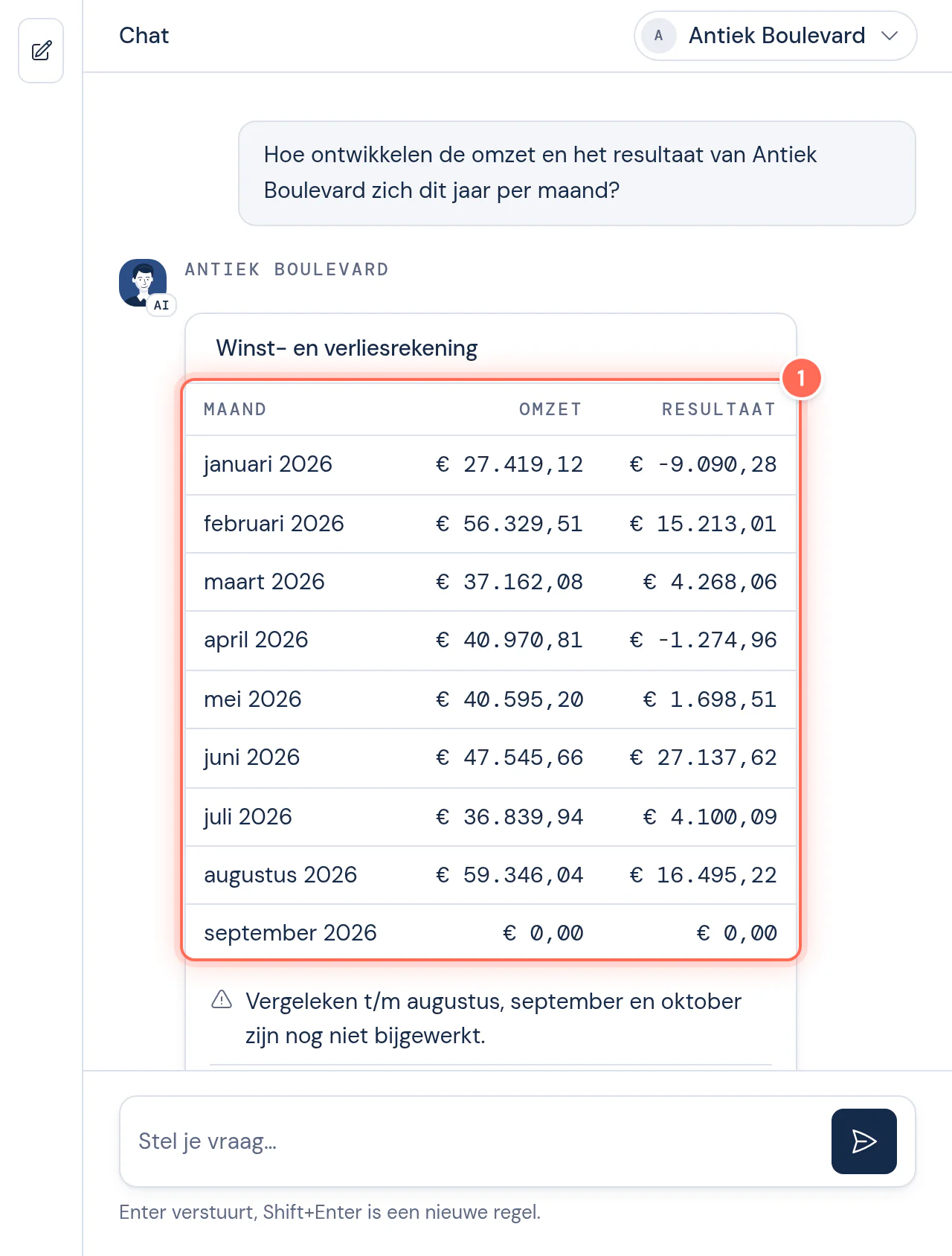
A good question says what you want to know and over which period. For example: how are revenue and profit developing this year, month by month?
Check the answer
Leo often gives a table with a short explanation. Below the table you see where the figures come from.
-
Click the line with the number of sources, for example 1 source: 192 lines. You see which data Leo read and what date it is from.
-
Want to keep the table? Click Download Excel or Download PDF.
-
Is a figure wrong? Click Not right and choose the figure.
-
Have you checked the answer? Click Reviewed and choose The whole answer. You can also choose a single figure. Your name and the date are added.
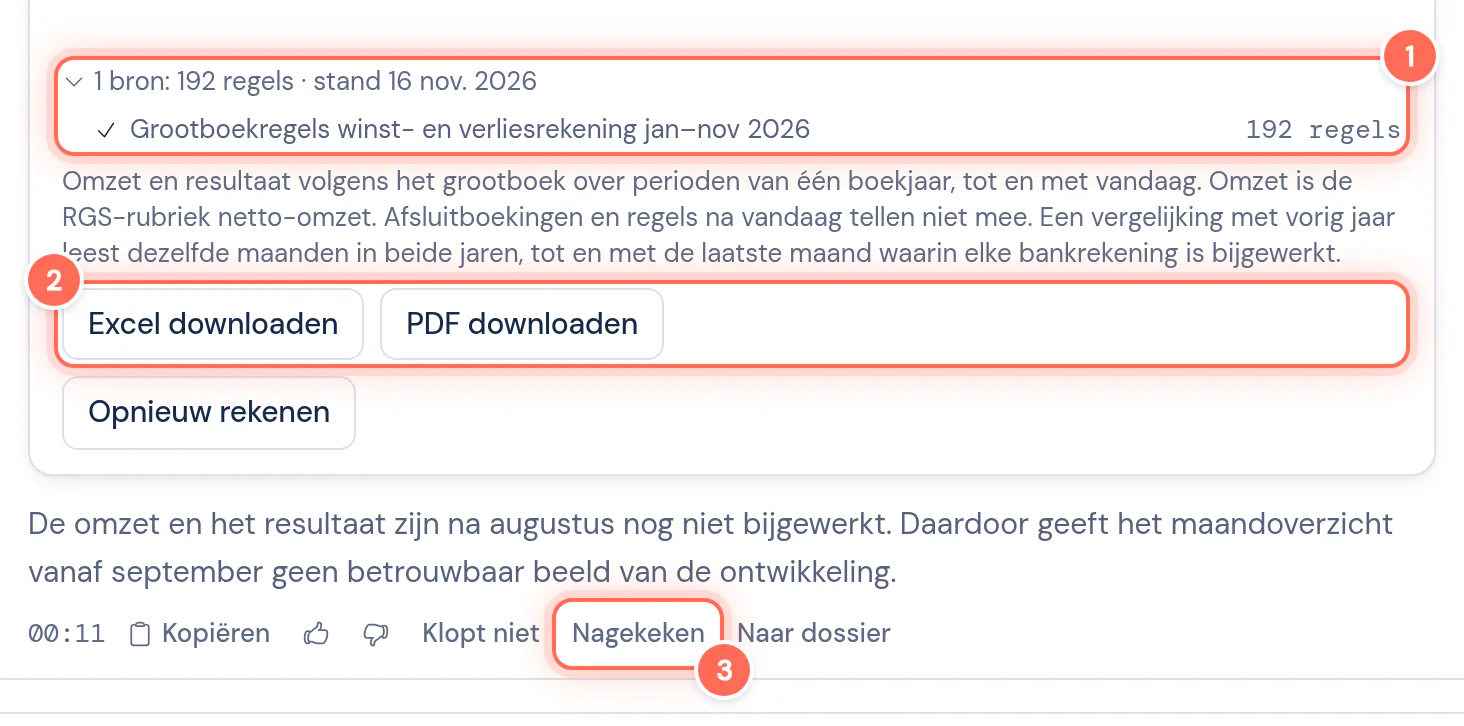
Open the sources (1), download the table (2) and mark the answer as reviewed (3).
Want to keep the answer as a document in the file? Click To file. You fill in what you checked, your finding and your conclusion. Then click Save.
Conversations
Your earlier conversations are on the left. Start a new topic with New chat. Use the three dots next to a conversation to rename or delete it.
How it works
Do you correct Leo in the chat? Then he remembers what you mean, for example your own name for an administration. You can see and delete what he remembers in Leo's record.
What Leo doesn't do in the chat
- Leo doesn't give pay per person. You can ask for total staff costs.
- Leo doesn't assess employees, or the creditworthiness of individuals.
- Leo doesn't recommend a bank, loan or insurance.
- Leo doesn't say whether the Dutch Tax Administration will accept something.
What Leo does
Leo looks up the answer in your invoices, bookings and relations. He names his sources and removes sentences he can't back up.
What you decide
You judge the answer. Leo is an AI assistant and can make mistakes, so forming a judgement stays work for someone at your firm.
Further reading
Still stuck? Email [email protected] or call +31 6 57867535.