Topics
Set up Leo's way of working
Decide how carefully Leo works with unknown suppliers, invoices from a new country and merging invoice lines.
- Level: Advanced
-
 Leo
- Updated
- 2 min read
- Role: Administrator
Before you start
- You have the Administrator role, or a role with the Manage working agreements permission.
Screenshots show boeq's Dutch interface.
The way of working decides how Leo does the work, not what he may do. What Leo may book on his own is set in Leo's authorisations.
The three settings
| Setting | Default | What it does |
|---|---|---|
| Create an unknown supplier himself | Off | Is the VAT or Chamber of Commerce number on the invoice? Then Leo creates the new supplier himself and carries on. If it is off, every unknown supplier comes to you first. |
| Have a first invoice from a new country checked | On | The first invoice from a new supplier with a foreign account number always comes to you. Even if Leo is certain. |
| Merge lines with the same GL account and VAT code | On | Leo books one line per general ledger account and VAT code. If it is off, he copies the invoice lines as they are. |
Change a setting
-
Open Dossier in the menu, under Leo.
-
Go to the Working method block.
-
Under Applies to, choose The whole office or One administration. If you choose one administration, also choose which one.
-
Switch the toggle on or off.
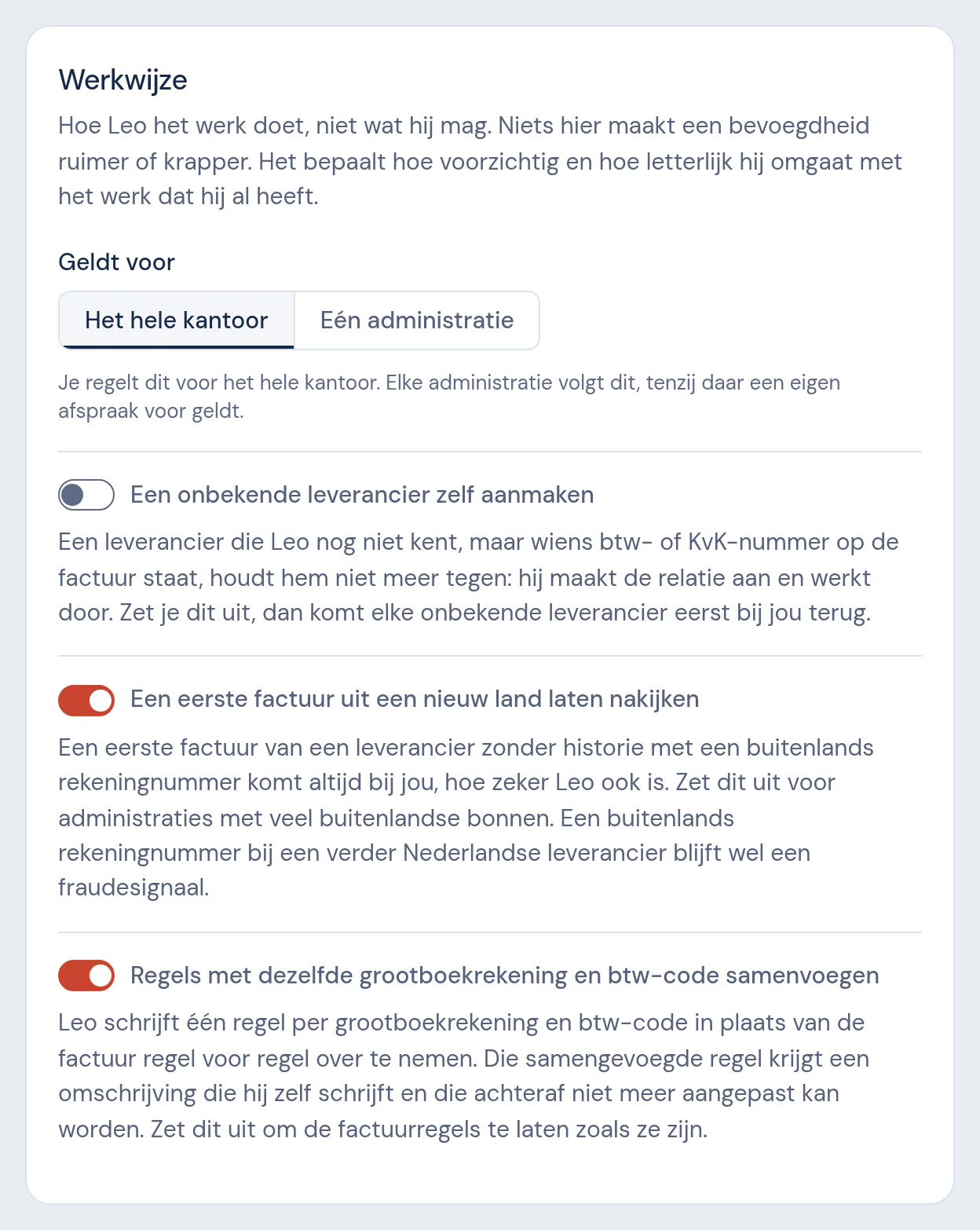
Each toggle applies to the whole firm or to one administration.
An administration follows the firm until you set something separately for it. Follow the office again sets it back.
When to choose what
- Do a lot of foreign receipts come in for one administration? Switch off Have a first invoice from a new country checked for that administration.
- Do you want to see the description of every invoice line in Exact Online? Switch off Merge lines with the same GL account and VAT code.
Watch out
A merged line gets a description that Leo writes himself. You can't change it afterwards.
How it works
A foreign account number on an otherwise Dutch supplier is always a fraud signal. Leo puts such an invoice to you, even when this setting is off.
What Leo does
Leo adapts the way he works to what you choose here. It gives him no more and no fewer authorisations.
What you decide
For each setting, you choose whether it is on or off, for the whole firm or for one administration.
Further reading
Still stuck? Email [email protected] or call +31 6 57867535.