Topics
Working agreements: what Leo learns from your firm
A working agreement is a fixed rule Leo follows when he books. Read how working agreements come about and where to find them.
- Level: Advanced
-
 Leo
- Updated
- 3 min read
Screenshots show boeq's Dutch interface.
A working agreement is a fixed rule for Leo. For example: book invoices from this supplier to general ledger account 4050. An agreement applies to one administration or to the whole firm.
Where to find them
Open Working agreements in the menu, under Practice. Everyone at your firm sees the same list.
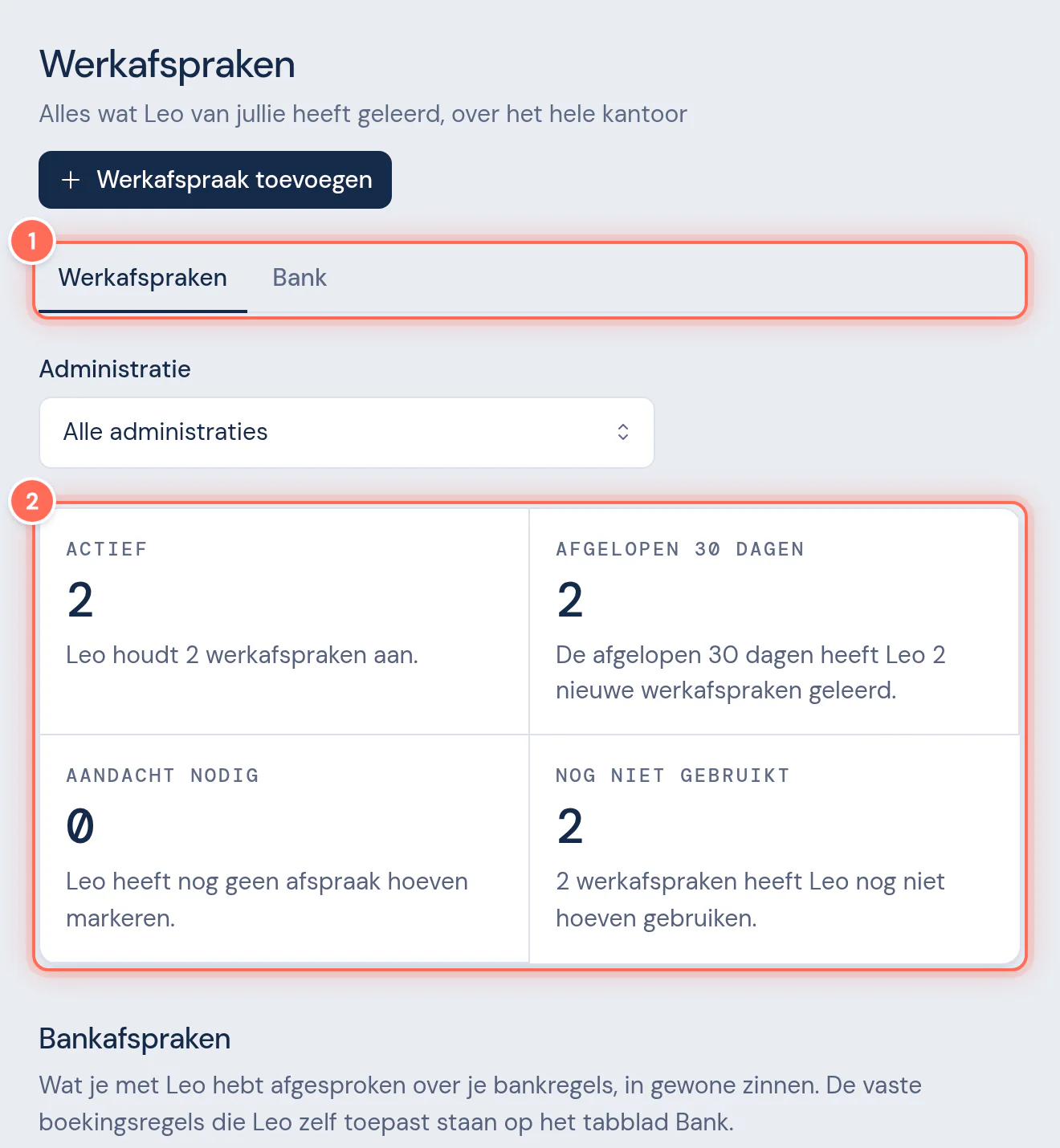
- Active: the agreements Leo follows now.
- Last 30 days: what Leo learned in the past month.
- Needs attention: agreements waiting for a choice from you.
- Not used yet: agreements Leo hasn't needed anywhere yet.
Agreements about the bank in your own words are under Bank agreements. The fixed booking rules that Leo applies himself are on the Bank tab. A bank rule says which account Leo books the payments of one counterparty to.
How a working agreement comes about
- You click Remember on an invoice. Read Correct a proposal and have Leo remember it. On a bank transaction, you tick Remember for the counterparty. That becomes a bank rule on the Bank tab.
- You add one yourself. Read Add, change or stop a working agreement.
- You keep making the same correction. Do you change the general ledger account, the VAT code or the payment condition to the same value a few times for the same supplier? Then Leo records it himself. The agreement applies straight away and you get a notification about it.
- You answer a question from Leo. Does your answer apply more widely? Then it becomes a working agreement.
- Leo proposes them. Does your firm have no working agreements yet? Then you see the Have Leo draft working agreements button. Leo then reads the bookings of the past two years. His proposals appear under Proposals from Leo. For each proposal you choose Accept or Reject.
An agreement you record yourself applies straight away. The same goes for an agreement Leo learns from your corrections. Leo then also updates the open invoices you haven't edited yet. While he checks such an invoice again, it shows Leo is still working instead of the proposal. You can book it again once he has finished. Recording or accepting an agreement yourself needs the Administrator role or the Manage working agreements permission.
When Leo doesn't follow an agreement
- Two agreements say different things, or an account is no longer active. Leo then puts the agreement under Needs attention and waits for you.
- Have you twice reverted what an agreement did in the same administration? Then Leo stops applying it there for now. He asks you under Questions whether the agreement should stop there.
- An agreement asks for something that isn't allowed for tax purposes. Leo then puts the invoice to you.
How it works
A working agreement doesn't give Leo more freedom. Whether Leo may book on his own is set separately. Read Leo's authorisations: booking on his own and thresholds.
What Leo does
Leo records what your team teaches him and applies it to new and open invoices. For each agreement, he keeps track of how often he used it.
What you decide
Your team decides which agreements apply. Leo only uses a proposal he drew from your old bookings once someone accepts it. An agreement he learns from your corrections applies straight away, and you can stop it.
Further reading
Still stuck? Email [email protected] or call +31 6 57867535.