Topics
Bank settings: differences, accounts and capitalisation threshold
Decide how much leeway Leo has when he matches payments to invoices, and which accounts he books differences to. Set it under Settings, Behaviour.
- Level: Advanced
-
 Leo
- Updated
- 2 min read
- Role: Administrator
On this page
Before you start
- You have the Manage team settings permission. The Administrator has it by default.
Screenshots show boeq's Dutch interface.
On the Behaviour screen you set how Leo deals with payments. What Leo may book on his own isn't here. You set that in his record. Read Leo's authorisations: booking on his own and thresholds.
Open the settings
- Go to Settings › Behaviour.
- Under Editing scope, choose Organisation or Administration. Read Journals and settings per administration.
- Change the fields and click Save.
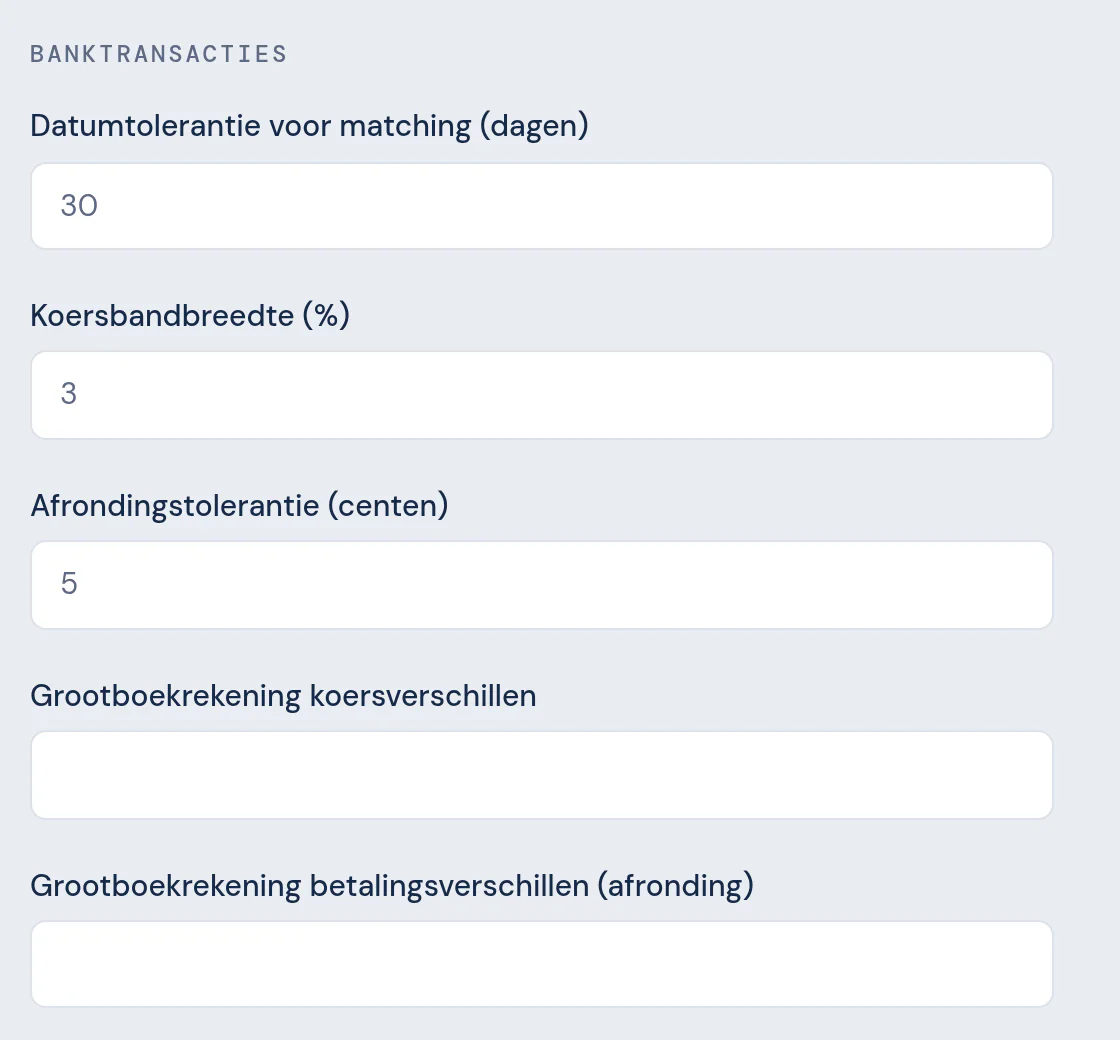
Matching with some leeway
| Field | What it controls |
|---|---|
| Date tolerance for matching (days) | How many days a payment may differ from the invoice date. Default 30. |
| Exchange rate band (%) | How much a payment in a foreign currency may differ from its value in euros. Default 3. Leo books the difference to the account for exchange rate differences. |
| Rounding tolerance (cents) | Leo books a difference of up to this number of cents as a payment difference. The invoice then doesn't stay open. Default 5. |
| Maximum payment difference a working agreement may settle (%) | A working agreement only writes off a payment difference by itself while it stays below this share of the open amount. Default 15. Above that, you decide. |
The exchange rate band and the rounding tolerance also apply when you allocate an invoice yourself with Add open item. Is the invoice then paid in full? Then Leo books a remainder within the exchange rate band as an exchange-rate difference, and within the rounding tolerance as rounding. Read Reconcile or book a bank transaction.
Pieter also uses the date tolerance, the exchange rate band and the rounding tolerance in the outstanding items check.
Accounts for differences
Choose the general ledger account Leo books each type of difference to:
- Exchange rate differences GL account
- Payment differences GL account (rounding)
- Payment discount GL account
- Bank charges GL account
- Write-off GL account
You use them with Book difference. Read Reconcile or book a bank transaction. Type the account code as it appears in Exact Online.
Leo's capitalisation threshold
At the bottom is Capitalisation threshold. Leo uses this limit to decide whether a purchase can be a fixed asset. By default it is 450.
How it works
Sara has her own Capitalisation threshold, separate from this one. Changing hers doesn't change Leo's. Read Reference: all of Sara's tolerances.
What Leo does
Leo matches payments to invoices within the limits you set here, and books small differences to the accounts you choose.
What you decide
You decide how large a difference may be and which account it goes to. Whether Leo books on his own is set in his record.
Further reading
Still stuck? Email [email protected] or call +31 6 57867535.