Topics
Step 2 of 9
Your first login
Your firm has invited you to boeq. This is how you open the invitation, log in and, if needed, set up two-factor authentication.
Before you start
- You have an email inviting you to boeq.
- You have your phone to hand.
Screenshots show boeq's Dutch interface.
Open the invitation
-
Open the email with the invitation.
-
In the email, click Accept invitation.
You arrive on the Log in to your account page.
The link in the email works for three days.
Log in
Log in with your email address and password. You go straight into your firm and see the Dashboard.
Can't log in because you don't have an account yet? Tell the person at your firm who invited you.
Watch out
Do you get a blank page after the link? Then the invitation has expired, has already been used, or was sent to a different email address. Ask someone at your firm to invite you again, at the address you log in with.
Set up two-factor authentication
Your firm can require everyone to use two-factor authentication. On top of your password, you then prove it's you, for example with a code on your phone. Does your firm require this? Then you see the Two-factor authentication required screen after logging in.
That screen shows what your firm requires. Does it only say 'passkey'? Then skip the steps below and click Add passkey.
-
Click Set up your second factor. You arrive in Settings › Security.
-
Click Enable 2FA.
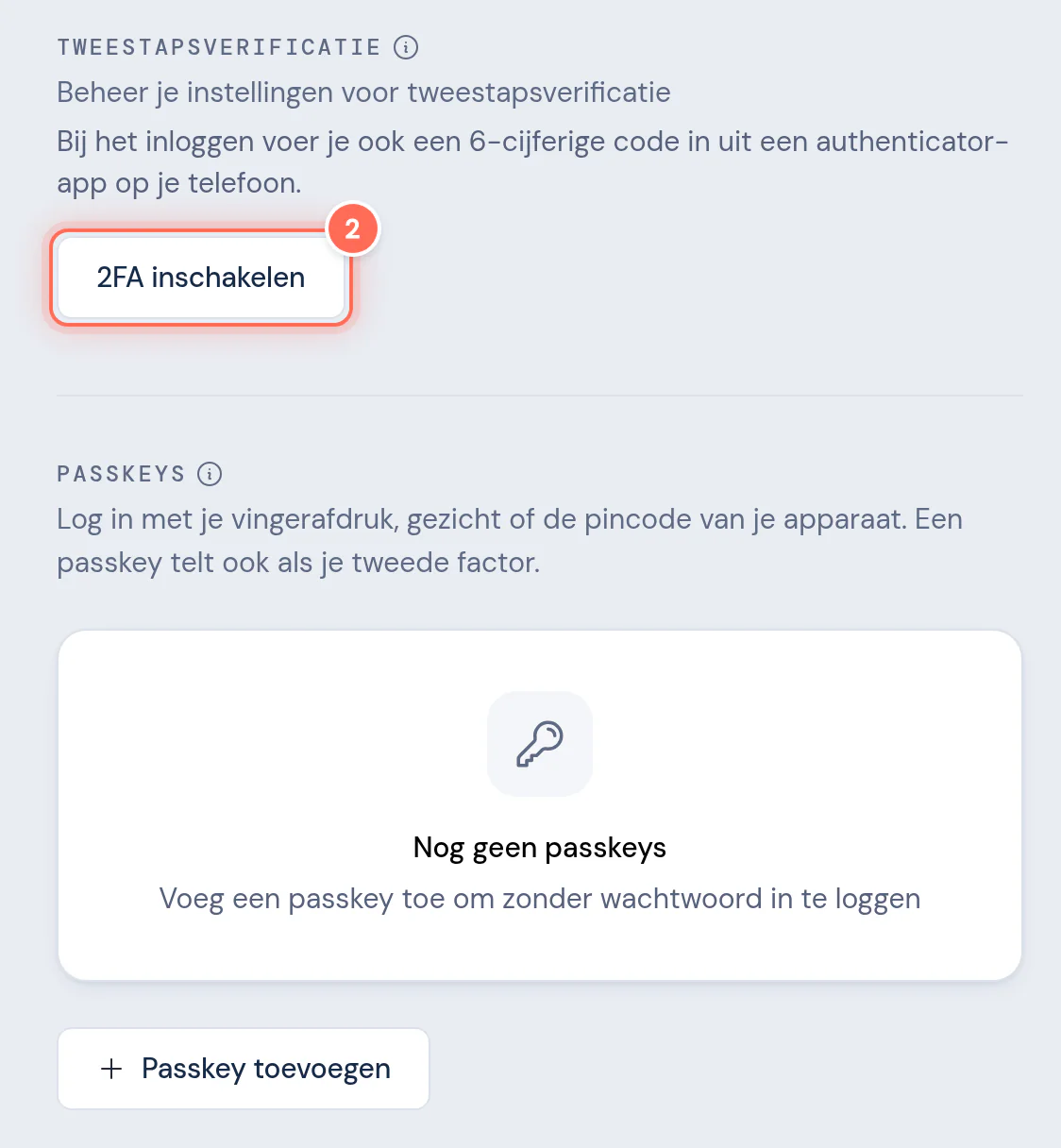
Choose Enable 2FA for an app on your phone, or Add passkey. -
Scan the QR code with an authenticator app on your phone.
-
Click Continue.
-
Type the 6-digit code from the app.
-
Click Confirm.
-
Click Close.
-
Click View recovery codes and keep the codes in a password manager.
From now on boeq also asks for a code from the app when you log in.
Good to know
Would you rather log in with your fingerprint, your face or a PIN? Then click Add passkey. A passkey also counts as a second factor. Read more in Two-factor authentication and passkeys.
Not working?
Further reading
Still stuck? Email [email protected] or call +31 6 57867535.